iPhone app for photographers

PhotoSpots

Never lose a great location. Save spots, attach notes and photos, organize shoot lists, and plan around the best light.

Download on the App Store Get Support

App Store link can be dropped in when the listing is live.

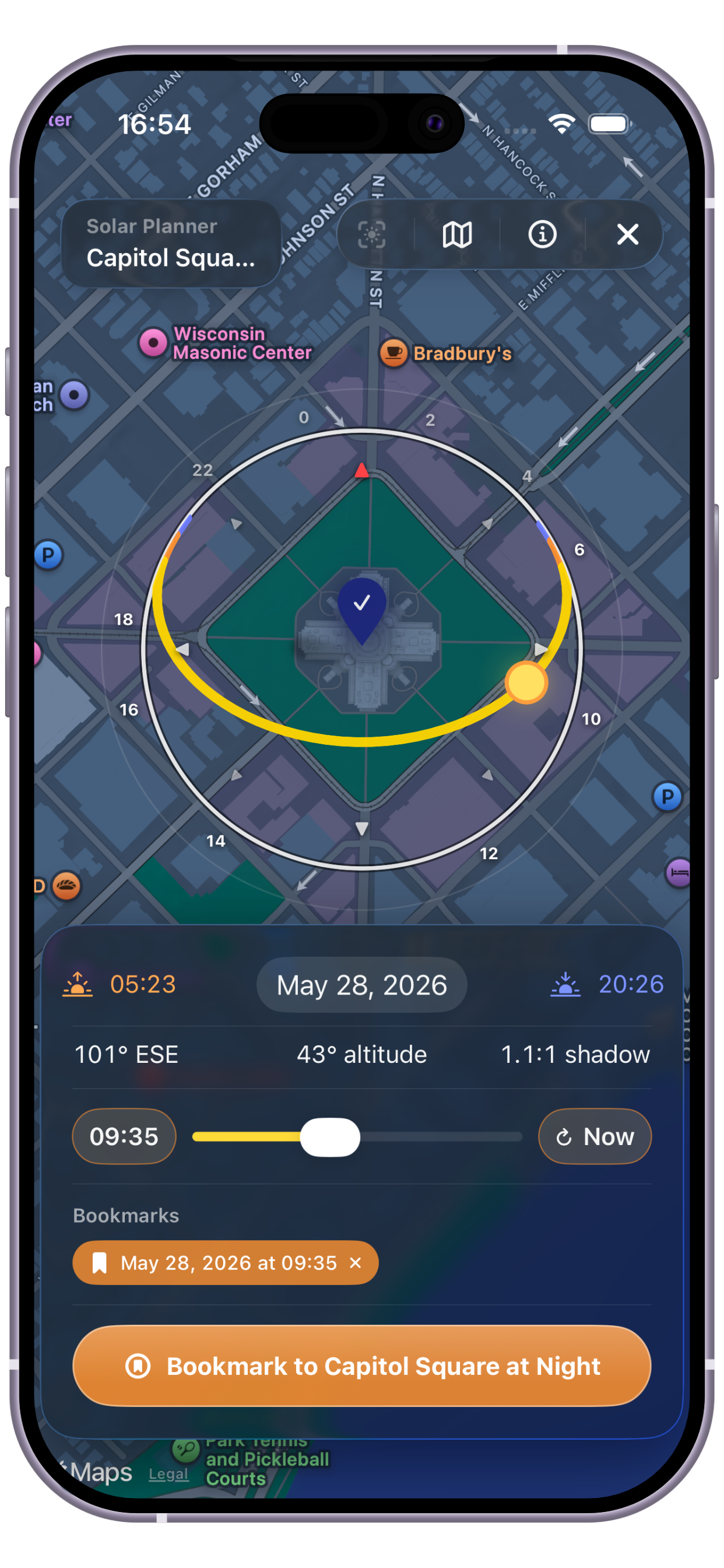
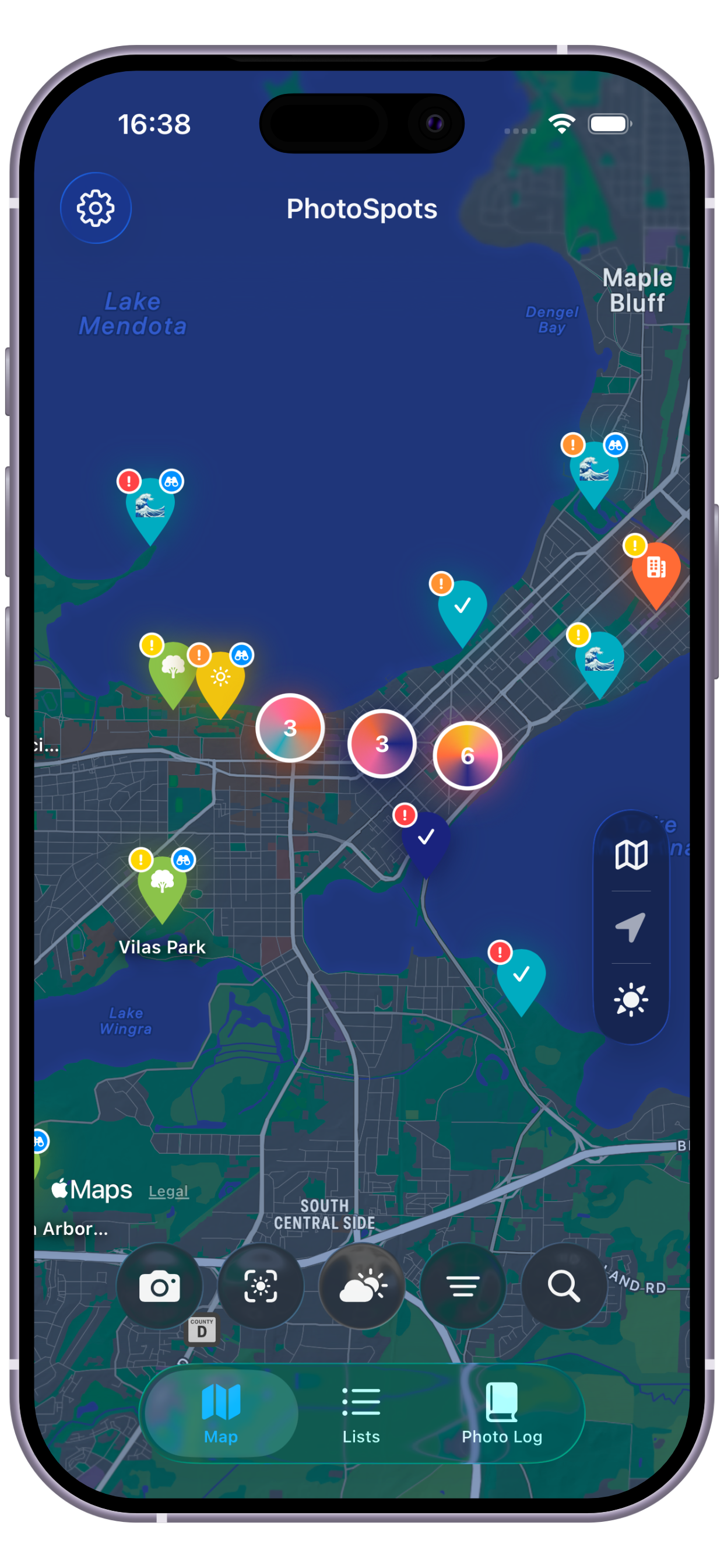
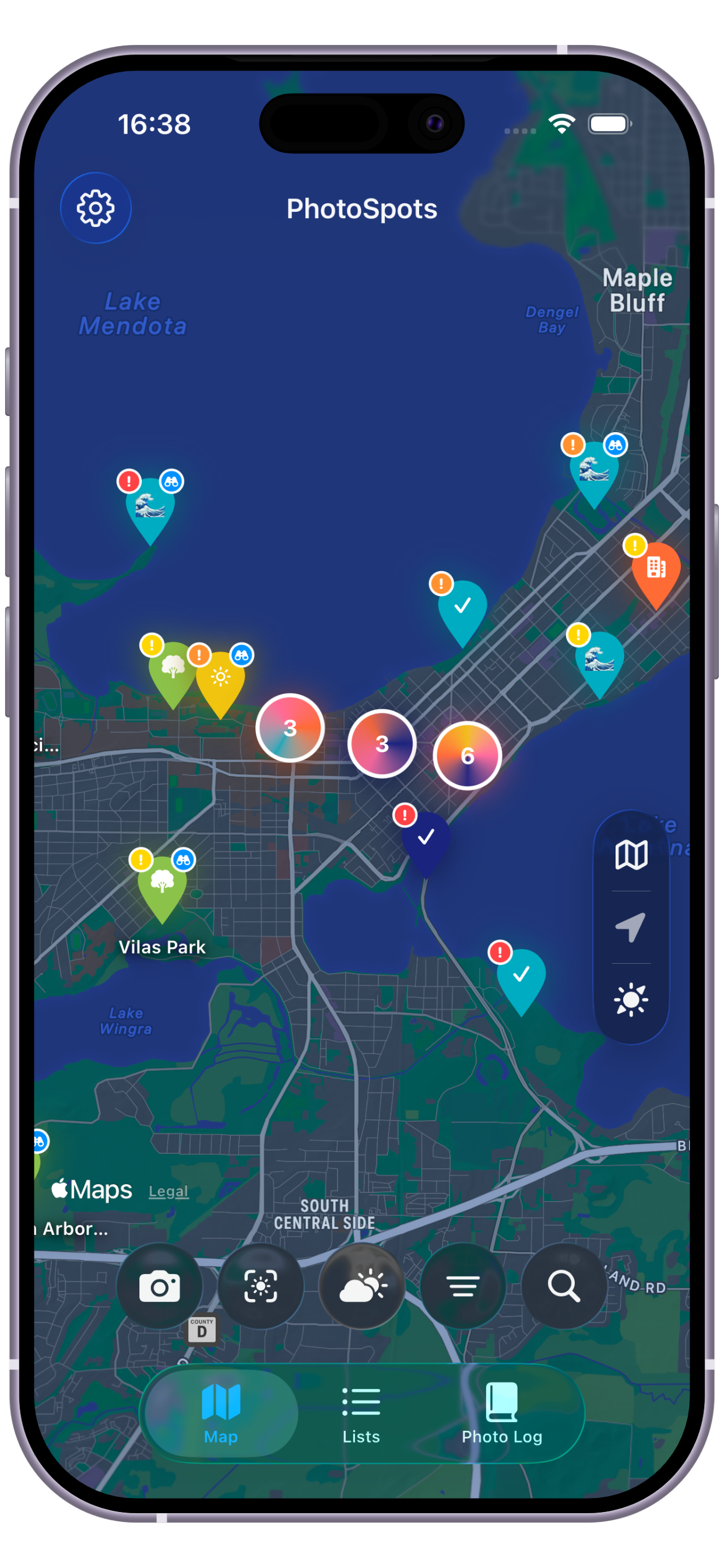
PhotoSpots map view showing saved photography locations PhotoSpots solar planning view

Core workflow

From quick pin to planned shoot.

Drop a pin fast

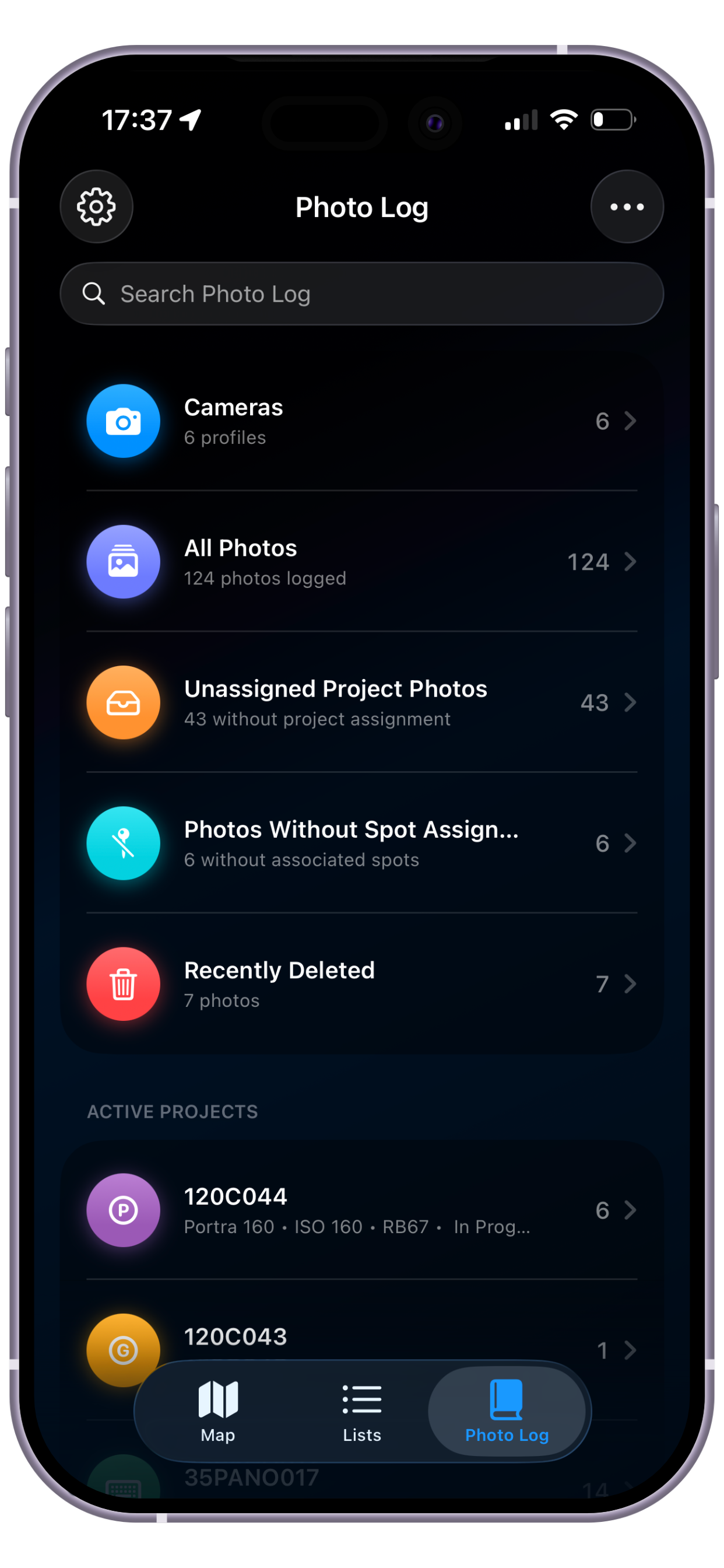
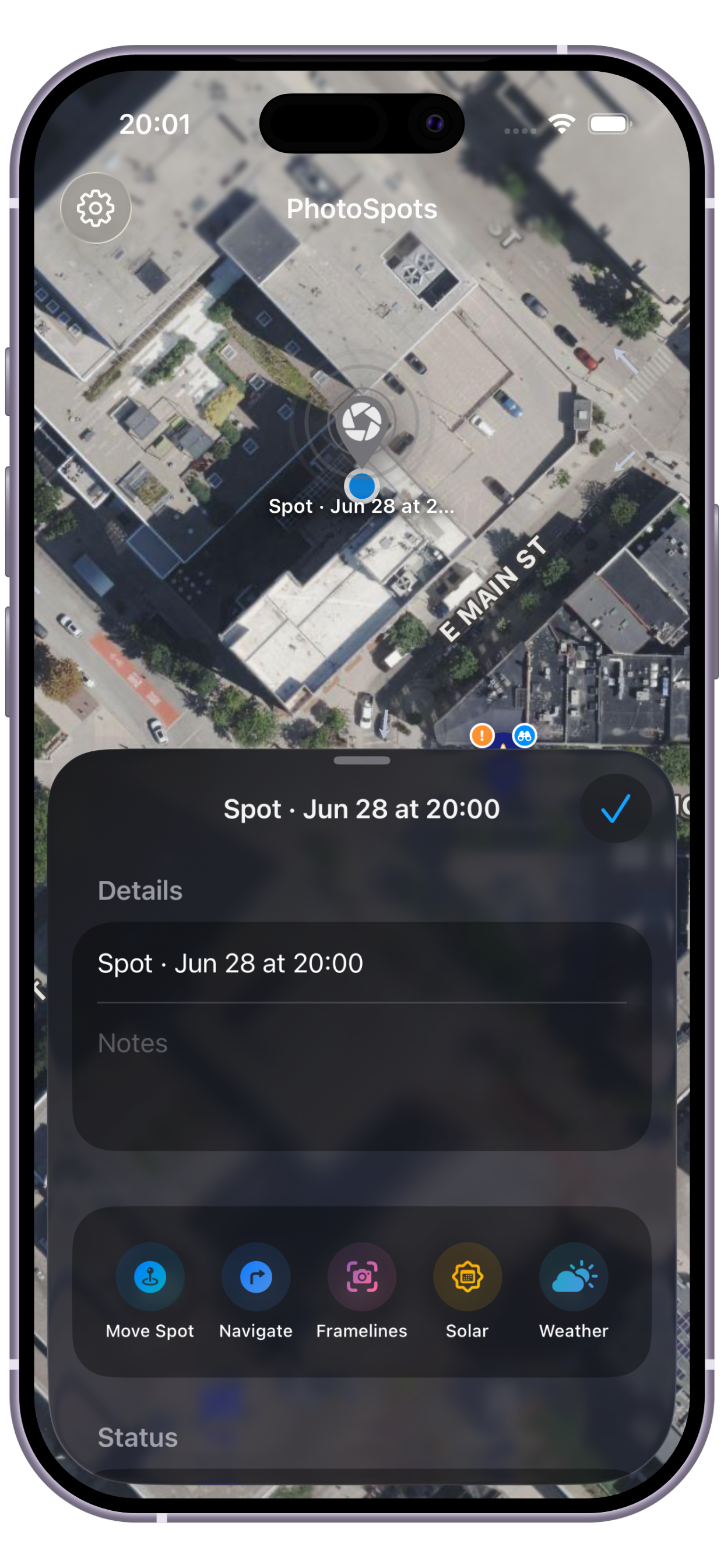
Save any location in seconds. Add notes, attach reference photos from your camera roll or camera, apply tags, and set a priority level so your best spots stay front and center.

Track your progress

Mark each spot as scouted or photographed, log every visit date, and archive spots you want to keep without cluttering your active list.

Organize into lists

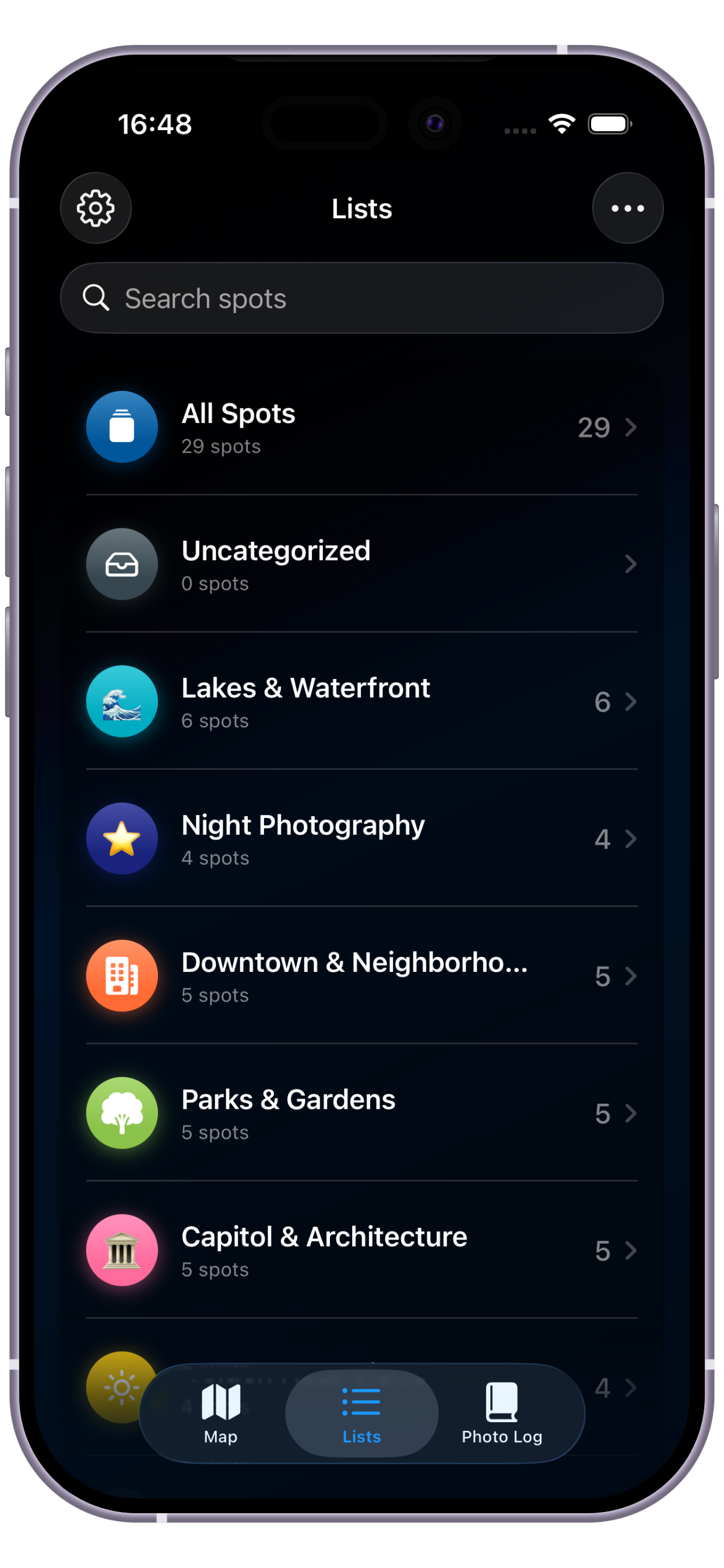
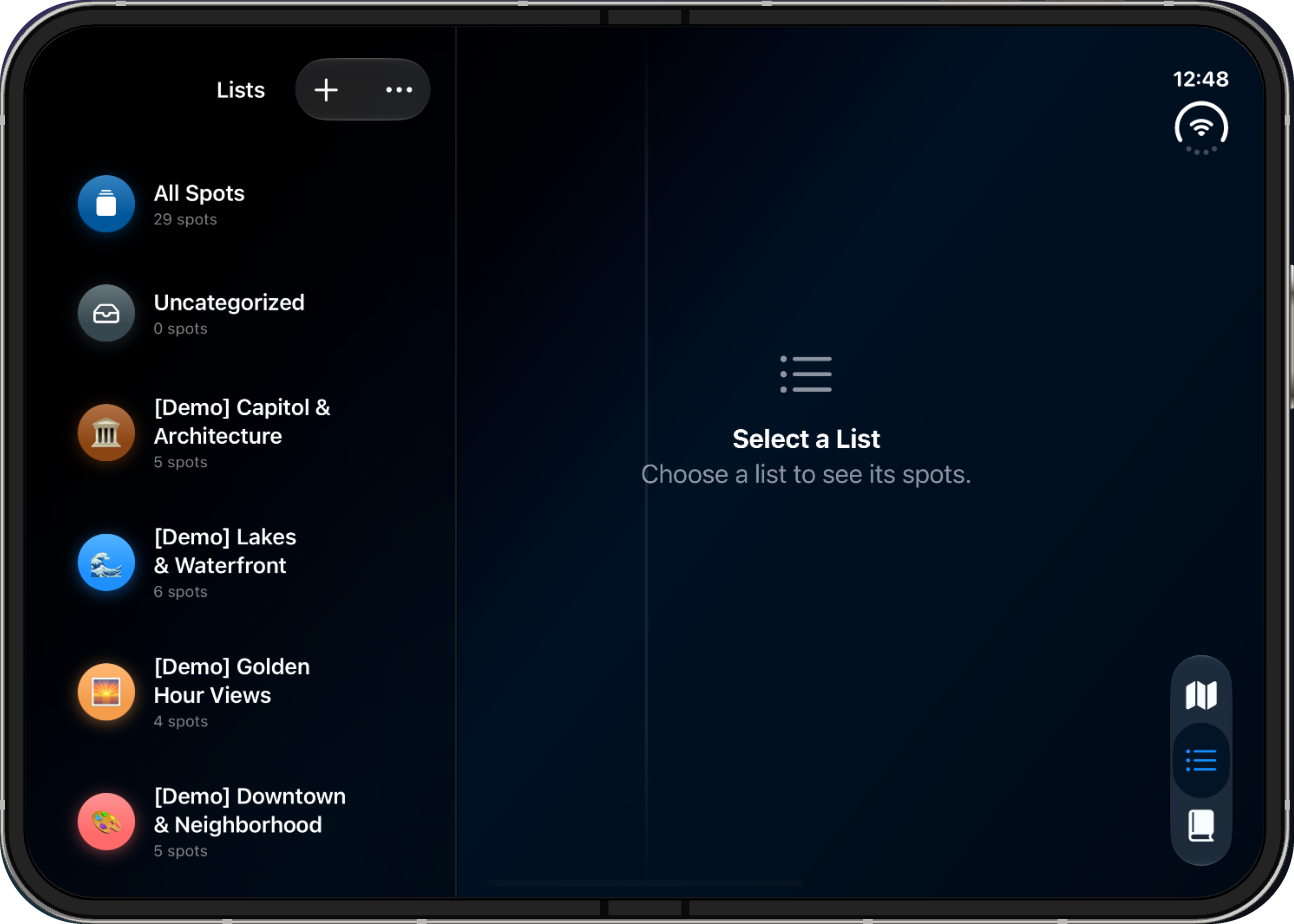
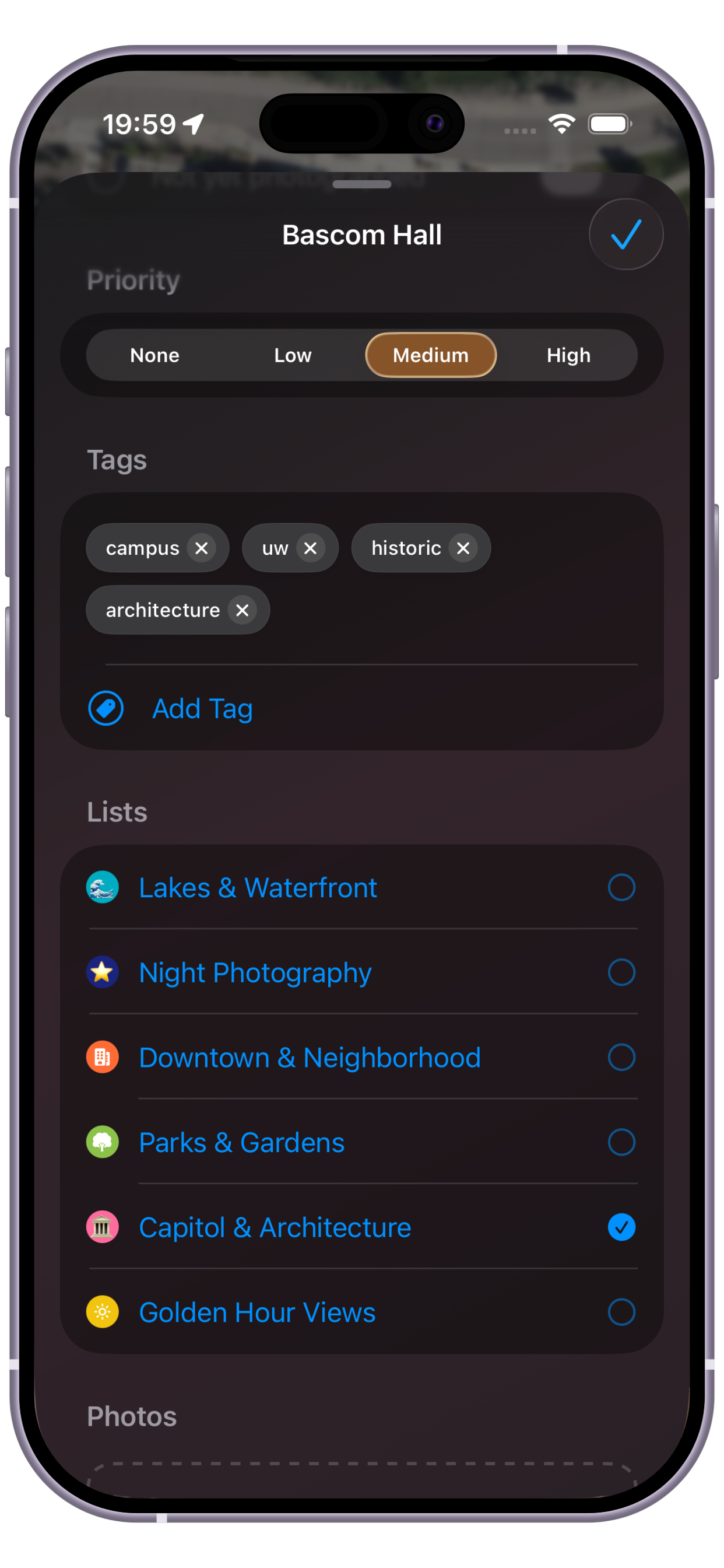
Group locations into color- and emoji-coded collections. Filter by list, tag, priority, scouted status, or photographed status to zero in on your next shoot.

Plan around the light

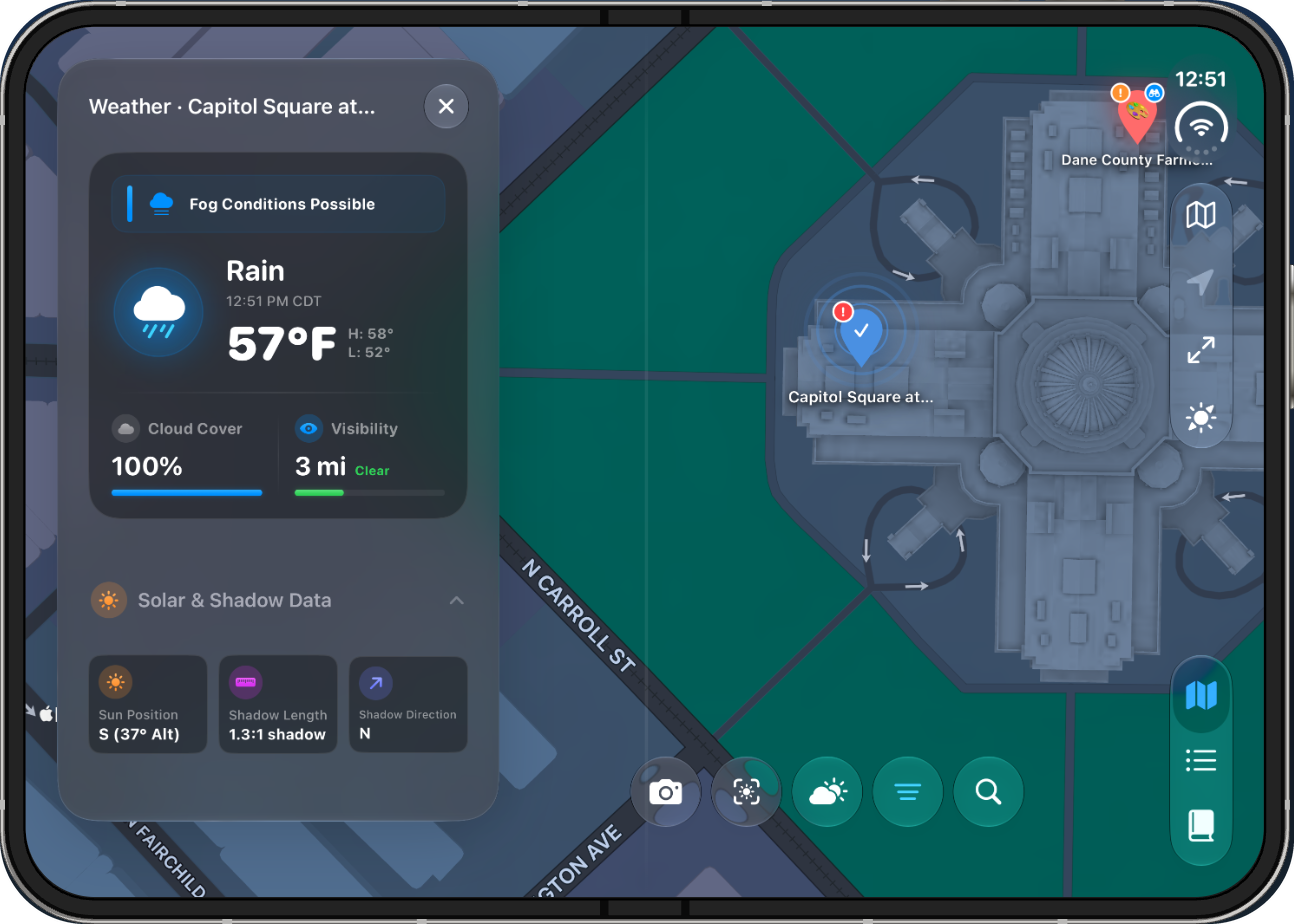
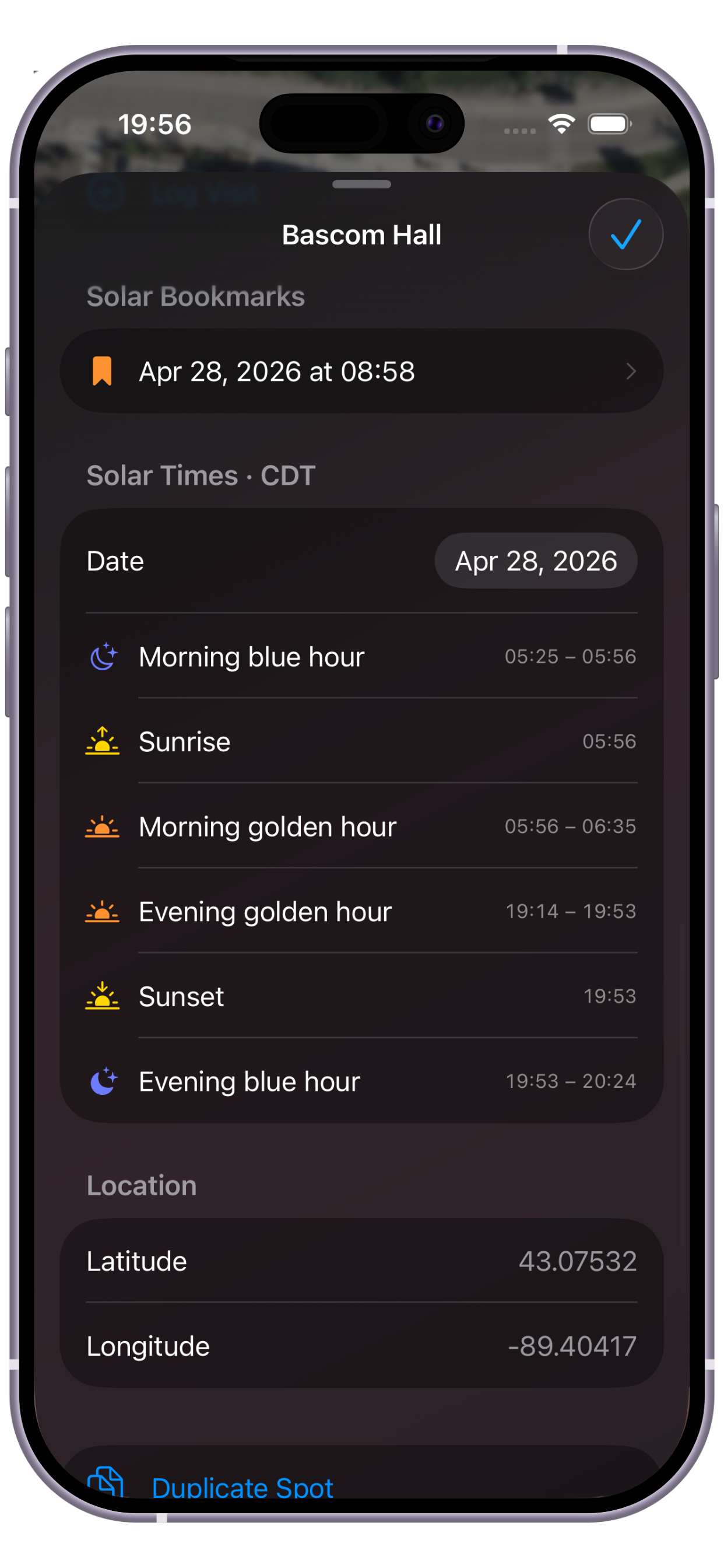
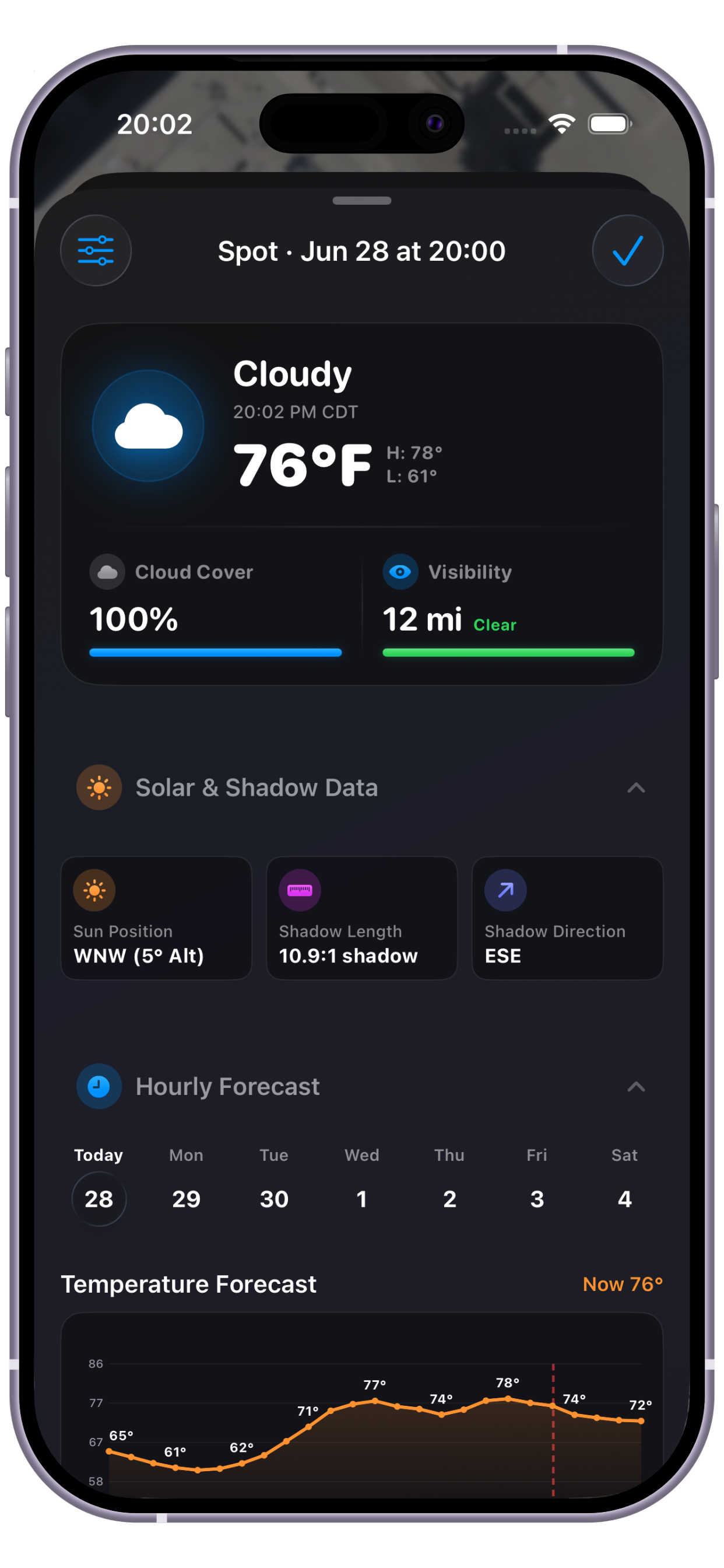
Every location shows precise golden hour, blue hour, and sunrise/sunset times. Visualize the sun's path on an interactive map and pin your perfect moment.

Preview with your gear

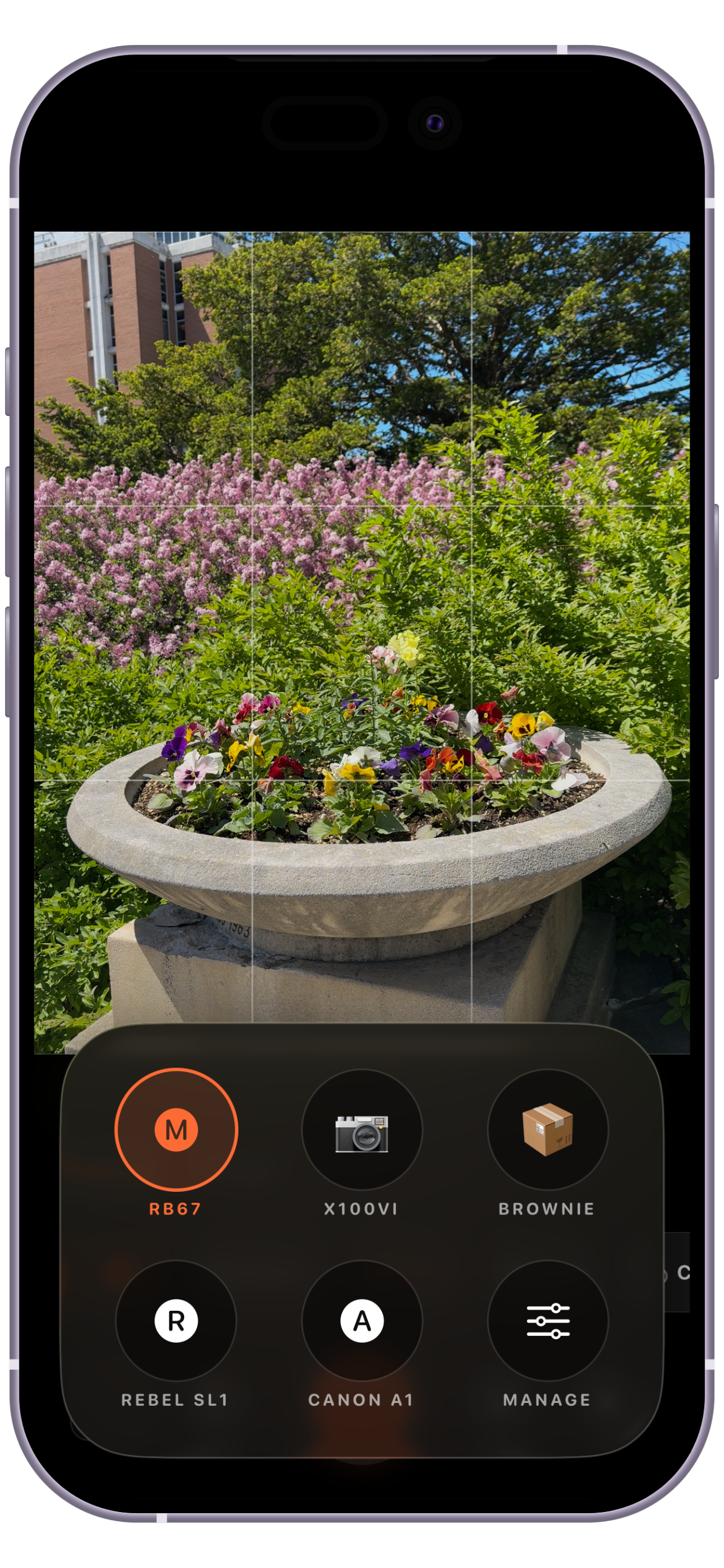
Simulate focal lengths and sensor sizes with built-in camera profiles or create custom profiles matching your exact equipment. See how different lenses and sensors frame each location before you shoot.

Search and discover

Find the perfect spot with smart search and filtering. Drill into your library by name, location, tag, priority, scouted status, or any combination to discover exactly what you're looking for.

Works offline

All your spots, photos, and data live on your device. Access your entire library anytime, anywhere—no internet connection needed. Full functionality, completely in your control.

Backup and export

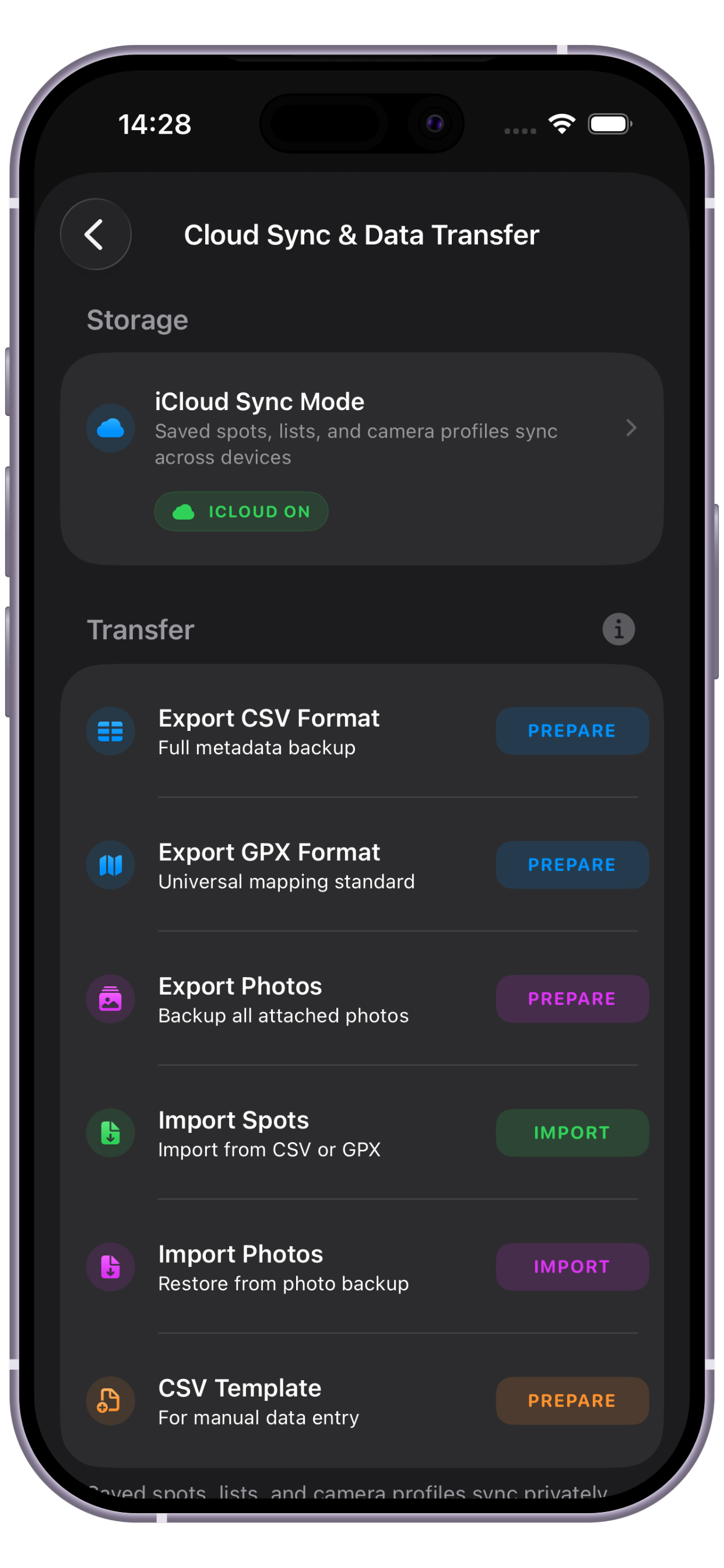
Export your complete location library to CSV or GPX formats for backup, sharing, or use in other apps. Import spots from other sources to consolidate all your locations in one place.

Explore on a map

Browse your entire library at a glance.

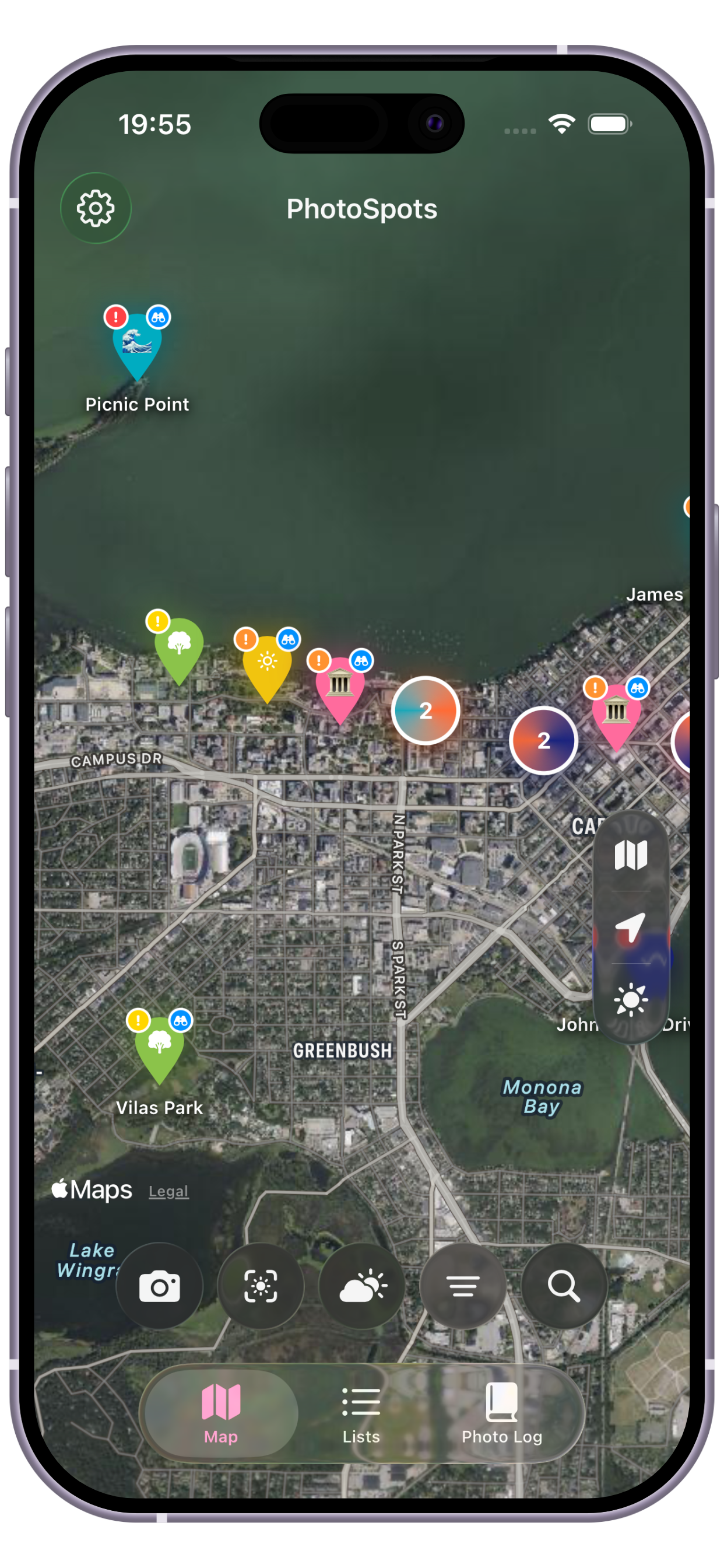
Interactive map with color-coded, clustered pins gives you the full picture. Use search, satellite view, and smart filtering to drill into exactly the area you need.

Suggest the next workflow
PhotoSpots interactive map view with clustered pins PhotoSpots solar map view
[PLACEHOLDER: Reference camera preview showing framing, focal lengths, and composition grids] [PLACEHOLDER: Reference photo library and metadata]

Compose before you shoot

Frame the shot before you return.

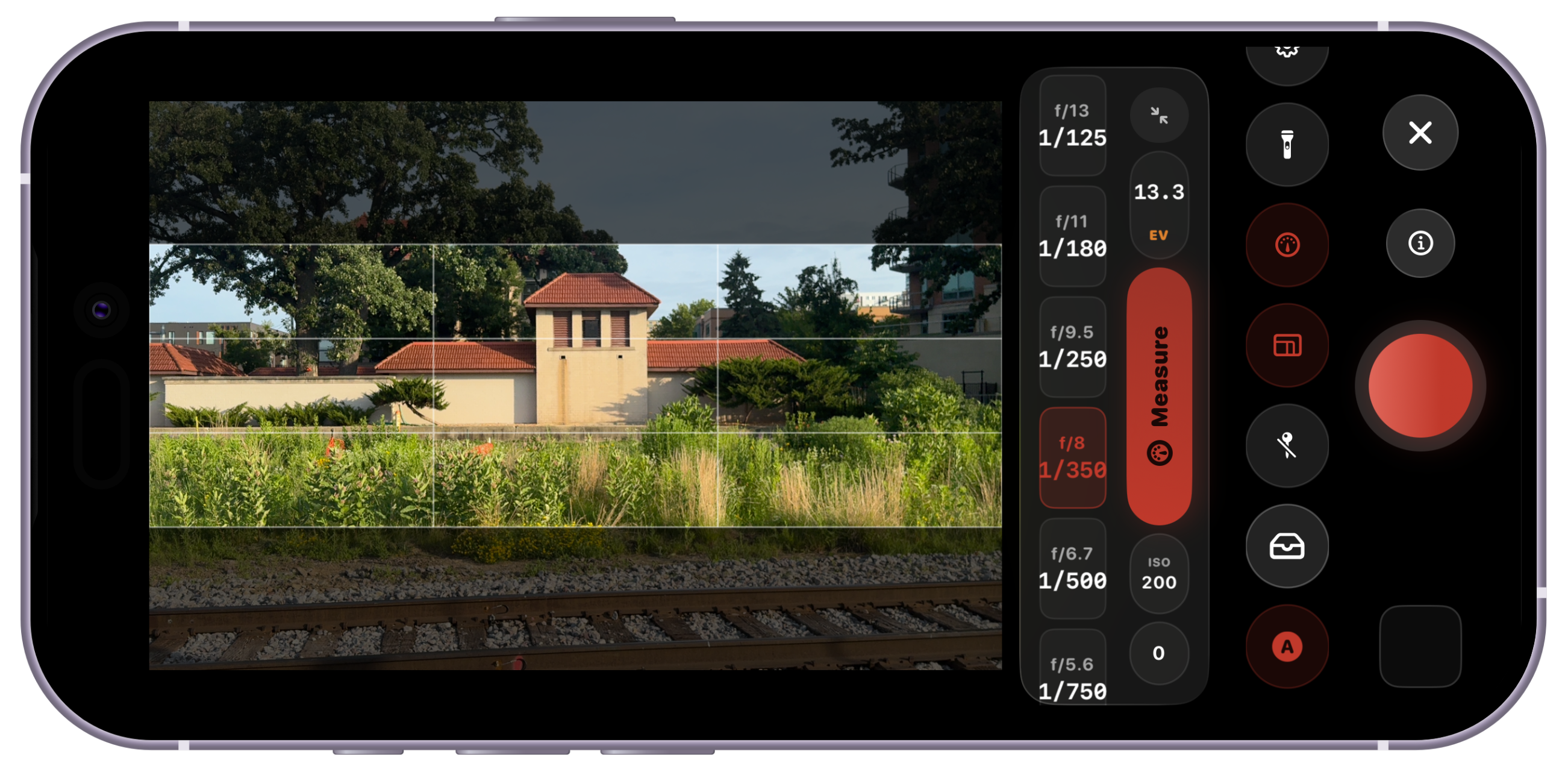
Open the reference camera from any spot to preview real-world framing with your gear. Simulate focal lengths, switch aspect ratios, use composition grids, and capture reference photos with camera, lens, crop, time, and location metadata.

Save in seconds

Log it before the moment passes.

See a great location? Use the home screen widget to pin it in seconds—no need to open the app. Update the details later when you have time.

PhotoSpots home screen widget screenshot PhotoSpots list organization screenshot
[PLACEHOLDER: Sharing dialog showing Maps link and location details] [PLACEHOLDER: Navigation to saved location]

Collaborate and navigate

Share hidden gems and get back there fast.

Send any location directly from the app with its name, coordinates, and an Apple Maps link. When it's time to head out, jump straight into navigation to your spot.

Premium features

Customize your workspace.

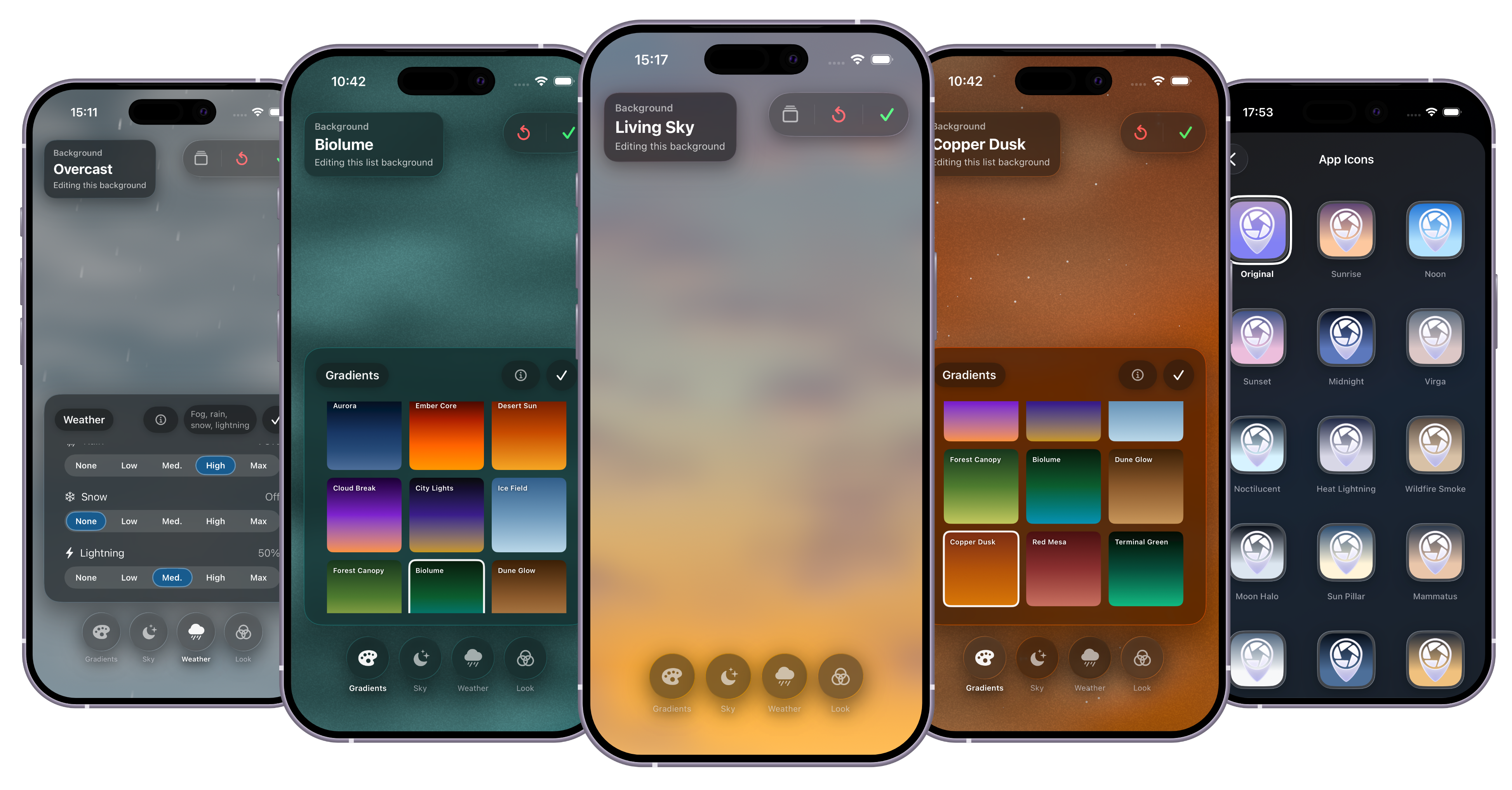
Unlock alternate app icons plus rich background themes for your lists and library.

App icon themes

Choose from a collection of distinctive app icons to personalize your home screen.

Custom backgrounds

Apply rich background themes globally or per list to make your library uniquely yours.

Global themes

Unified visual themes across the app for a cohesive, personalized experience.

Support development

Optional tips and in-app purchases help fund future features and ongoing development.

Data in your control

Sync, import, export.

Automatic iCloud sync across all your devices keeps your spots everywhere you need them. Easily import and export your location library via CSV and GPX formats for full flexibility and backup control.

[PLACEHOLDER: iCloud sync settings and device sync status] [PLACEHOLDER: Import/export interface showing CSV and GPX options]